Start an AI Company Furniture & Decoration Guide
Make the campus look fundable — after the racks that actually print money are full.
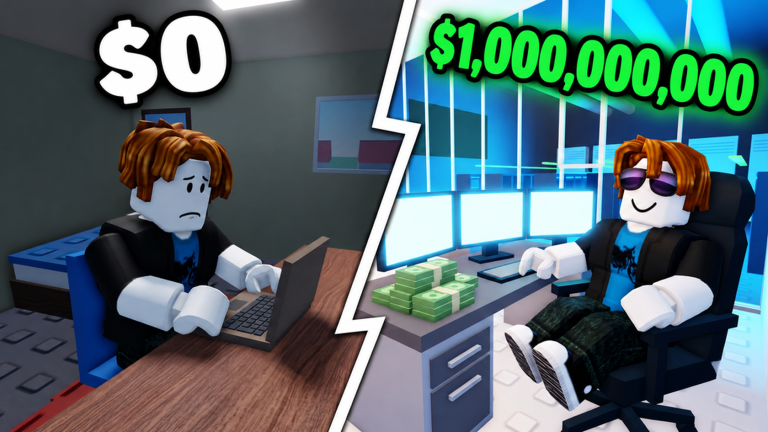
Furniture in Start an AI Company is delicious and dangerous. The Roblox tycoon from Kairo Experiences lets you dress every stage from bedroom to campus, and visitors in 10-player servers will absolutely judge your vibe. This guide explains when decorating helps, when it is a vanity trap, and how to build showcases that earn social likes without starving GPUs, staff, or prestige plans.
The one rule that saves runs
Furnish after GPU fills. If a rack slot is empty, a neon sign is not progression. Offline earnings, contract capacity, and sell value care about producers and compute first (Offline Earnings, GPU Tier List). Decoration is the layer you add when the machine already works.
Vanity vs throughput — know the trap
| Spend type | Examples | Correct timing |
|---|---|---|
| Throughput | GPUs, server fills, enabling desks | Immediately when unlocked |
| Efficiency layout | Clear aisles, short click paths | Right after fills |
| Soft functional | Whiteboards near research, contract boards visible | Office+ |
| Social showcase | Lobby flex, photo corners, brand walls | HQ / tower / campus |
| Pure vanity | Decor that does nothing but glow | After compute density is absurd |
CEOs who reverse this table stay pretty and poor. Rank vanity honestly on the Tier List Hub mindset: most furniture is B/C until late game.
Stage-aware decorating
Bedroom
Buy only what enables work. A chair and pathing beat posters. Prove a launch (Train and Launch) and first fills before aesthetic shopping. Redeem UPDATE for real upgrades, not wallpaper (Codes Hub).
Co-working / office
Add light identity — maybe a niche mural that matches your model personality — but keep floor plates open for racks and staff pits (Staff Tier List). This is also when Funded startup badge hunters rent their first real office (Badges); do not celebrate by bankrupt-decorating.
HQ / tower
Now layout storytelling matters. Separate research corners from noisy marketing pits if space allows. Keep crisis recovery paths clear (Contracts & Crises). If a sell is near (Sell and Restart), ask whether the furniture budget would earn more as prestige fuel.
Campus
Campus is where decorating finally becomes a feature. You are chasing Top AI lab rarity and visitor traffic (Office Tiers, Expand Offices). Build a ground-floor story: laptop origins → first racks → chip lab nods (AI Chip) → boardroom. Keep production online upstairs so offline earnings do not die for screenshots.
Visitor showcase for likes
Multiplayer value is real. Tours teach other CEOs and encourage experience likes that push the community toward the studio’s next code at 1,000 likes (likes are still in the hundreds, approaching 1k). Showcase tips:
- Lead with filled racks visitors can understand in three seconds
- Label a “museum” corner for early laptop nostalgia without blocking aisles
- Leave a clear walk path from spawn to the wow floor
- Do not grief others’ offices while gathering inspiration (Players)
- Screenshot before a prestige sell so the flex lives on
Likes are goodwill and milestone fuel — not a reason to bot or buy fake engagement.
Budget splits that keep you honest
Use a simple mental split after each profitable launch evening:
- 70%+ compute / staff / unlock necessities
- Up to 20% layout efficiency pieces
- Remainder vanity — only if the first two buckets are fed
After prestige, restart with even stricter vanity discipline until fills return.
Decorating during contracts, crises, and chip arcs
- Contracts: keep requirement boards visible; hide clutter that slows clicks
- Crises: pause vanity purchases entirely until stable
- AI chip chase: research floors beat lobbies; decorate after the milestone UI advances
If a crisis cites brand trust, a cleaner lobby can be thematic — still do not sell racks to buy statues.
Common furniture mistakes
- Maxing bedroom cosmetics before co-working unlock
- Blocking GPU rows with couches
- Copying a visitor’s neon spam that hides empty compute
- Spending the entire offline windfall on decor
- Using unverified “auto decorate” scripts (Scripts Hub, Executor Safety)
- Forgetting pathing so you rage-click through your own HQ
Design workflow (30-minute campus pass)
- Walk production floors; note empty slots
- Fill or fund those slots first
- Fix blocked aisles
- Add one showcase set piece
- Invite a friend visit for feedback
- Tick related boxes on the Growth Checklist
Patch and meta notes
Furniture catalogs can expand after updates. New chairs never outrank a GPU balance patch. Skim Launch Notes and the Updates Hub before rebuilding an entire lobby for a trend.
Related pages
Frequently Asked Questions
Quick answers about codes, GPUs, staff, and selling your company.
When should I buy furniture in Start an AI Company?
After GPU racks and critical staff for the current stage are funded. Functional pieces that enable work come first; pure vanity waits for HQ or campus.
Does decorating increase offline earnings?
Not by itself. Offline income cares about producers and filled compute left running. Pretty empty halls do not print cash.
Why showcase furniture for visitors?
Tours teach layouts and encourage community likes toward the next code milestone. Show filled racks first, then flex pieces.
Should I decorate right before selling?
Usually no. If prestige is the plan, keep cash for the sell math. Screenshot the build, then restart stronger.
Where do office unlocks fit with decorating?
Unlock when space caps hardware, then fill, then decorate. See Expand Offices and the Office Tiers list.