Start an AI Company Getting Started Guide
Your first hour as CEO — from laptop training to a stable early company.
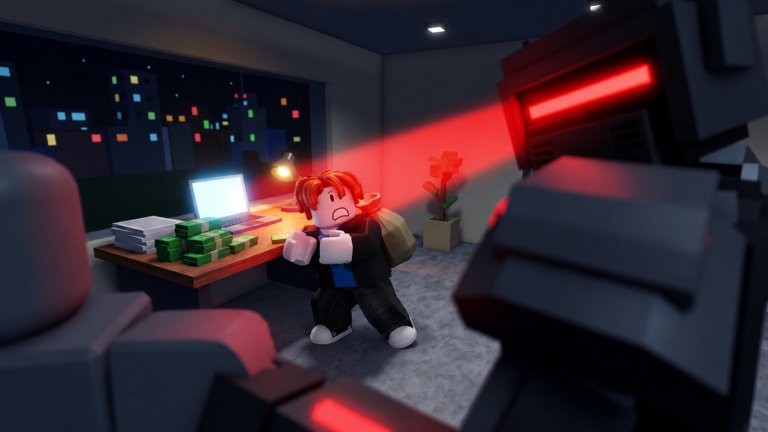
Start an AI Company drops you into a bedroom office with a laptop and a dream: train an AI, launch it to the world, and grow from a solo founder into a campus-scale lab. This beginner guide covers the first session for the Roblox experience by Kairo Experiences (released 2026-10-16, simulation / idle, max 10 players).
What you are trying to do
The core loop never changes — only the scale does:
- Train an AI (size, data, personality)
- Launch the model
- Gain users and virality
- Buy GPUs and fill servers
- Hire engineers, researchers, marketers
- Expand bedroom → co-working → office → HQ → tower → campus
- Furnish, take contracts, survive crises, outpace rival labs, chase AI chip progress
- Collect offline earnings
- Sell the company for billions and restart stronger
Your first hour should prove steps 1–5 without going bankrupt on furniture.
Minute 0–5: load in cleanly
- Join from the official game page.
- Finish tutorial prompts so HUD buttons unlock.
- Open Codes and redeem
UPDATE— full steps on How to Redeem Codes. Confirm it is still active on the Codes Hub. - Like the experience if you have not; the studio called out a next code at 1,000 likes.
Minute 5–20: first deliberate train
Do not mash random sliders. Pick a niche you can describe in one sentence (for example, “friendly coding helper”). Invest enough data that the model is not a hollow shell, pick a size you can finish training this session, and set a personality that matches the niche. Details and tiers live in Train and Launch and AI Models.
Launch when training completes. Watch early user metrics. If they stall, improve data on the next version instead of panic-buying marketers.
Minute 20–40: first compute
Spend code rewards and launch profits on the earliest GPU that clearly beats laptop-only inference, then fill the slots. Empty racks are the silent killer of idle games. Follow GPU Tier List priorities.
Only after racks exist should you hire. Default order: researcher → engineer → marketer. See Staff Tier List.
Minute 40–60: space and systems
If the bedroom caps your hardware, unlock co-working / the next office stage. Read Expand Offices before sinking cash into couches. Glance at available contracts; take ones your model can finish (Contracts & Crises).
Before you log off, leave your best producer running so offline earnings work overnight.
Multiplayer basics
Lobbies hold up to ten players. Visit other offices for layout ideas, leave likes thoughtfully, and avoid griefing someone’s carefully arranged HQ. Etiquette and tips sit on the Players hub.
What not to do on day one
- Do not download random “scripts” — none are verified yet; see Scripts Hub and Executor Safety.
- Do not max furniture before GPUs.
- Do not hire three marketers for an unproven model.
- Do not sell the company in the first hour unless you fully understand prestige (Sell and Restart).
After the first session
Tick everything you finished on the Growth Checklist. Skim Launch Notes so you know what changed since October 2026. Then push toward HQ scale with better models and denser racks.
If cash still feels tight, resist Robux panic. Most early stalls come from empty servers or marketers hired too soon — fix those with the Tier List Hub before spending real money.
Video walkthrough
The embedded video from Dracogames shows a real Start an AI Company session. Use it to sanity-check UI locations, then come back to the written steps above for spend discipline the video may skip.
Related pages
Frequently Asked Questions
Quick answers about codes, GPUs, staff, and selling your company.
Is Start an AI Company free to play on Roblox?
Yes, it is a standard Roblox experience. Optional purchases may exist, but the core train–launch–expand loop is available without paying.
What should I buy first after redeeming UPDATE?
Finish a coherent first model, then the earliest GPU throughput upgrade and its fills — not vanity furniture.
Does the game support offline progress?
Yes. Offline earnings continue while you are away, so leave strong models and filled servers running before you quit.
How many players can share a server?
Up to 10. Use visits to learn layouts, but keep your own spend plan.
Where do I go after this guide?
Train and Launch next, then GPUs and Staff tier lists, then Expand Offices.